BloodChart app icon

BloodChart: Blood Test Tracker

Your Labs, Over Time

One test tells you a number. Ten tell you a story.

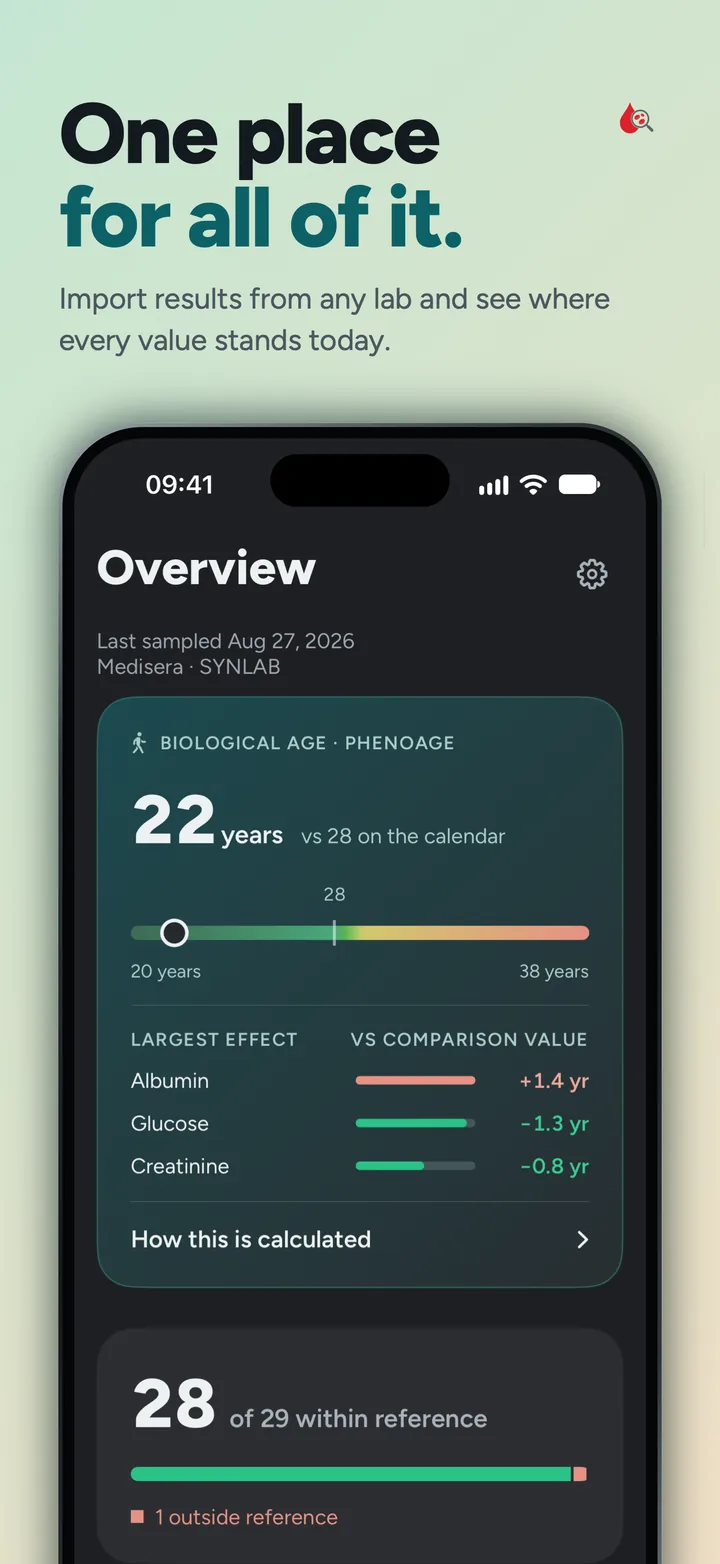
Import a lab report PDF and every value lands in one place, charted over time against your lab's own reference ranges. Arrive at your next appointment with better questions.

Coming soon
Step 1: Import
Share a lab report

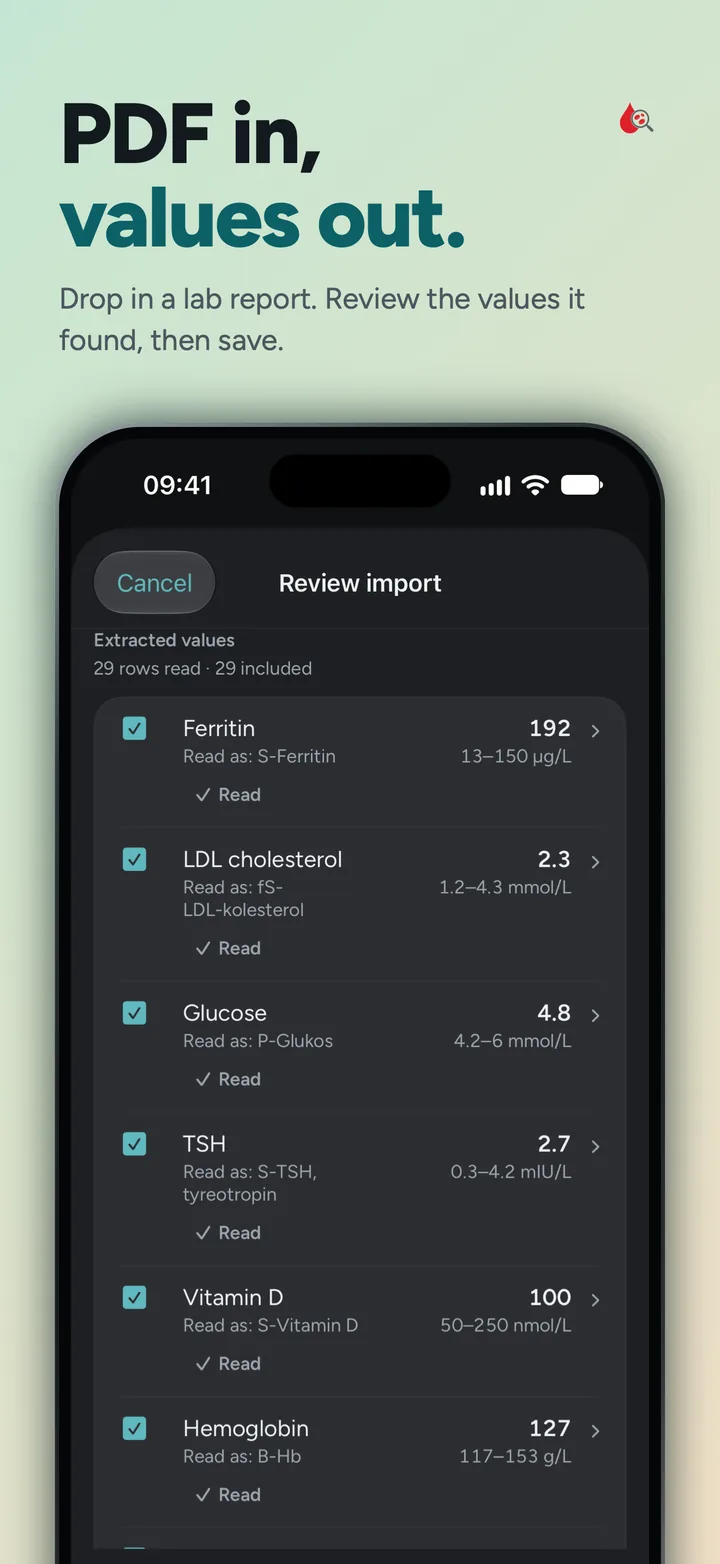
Send a PDF to BloodChart from Mail or Files and it reads the results table: values, units, and the reference ranges your lab printed.

Step 2: Review
Confirm every value

Nothing is saved silently. Each import opens a review screen where uncertain readings are flagged instead of hidden, and you approve or correct each row before it enters your history.

Step 3: Track
See results in context

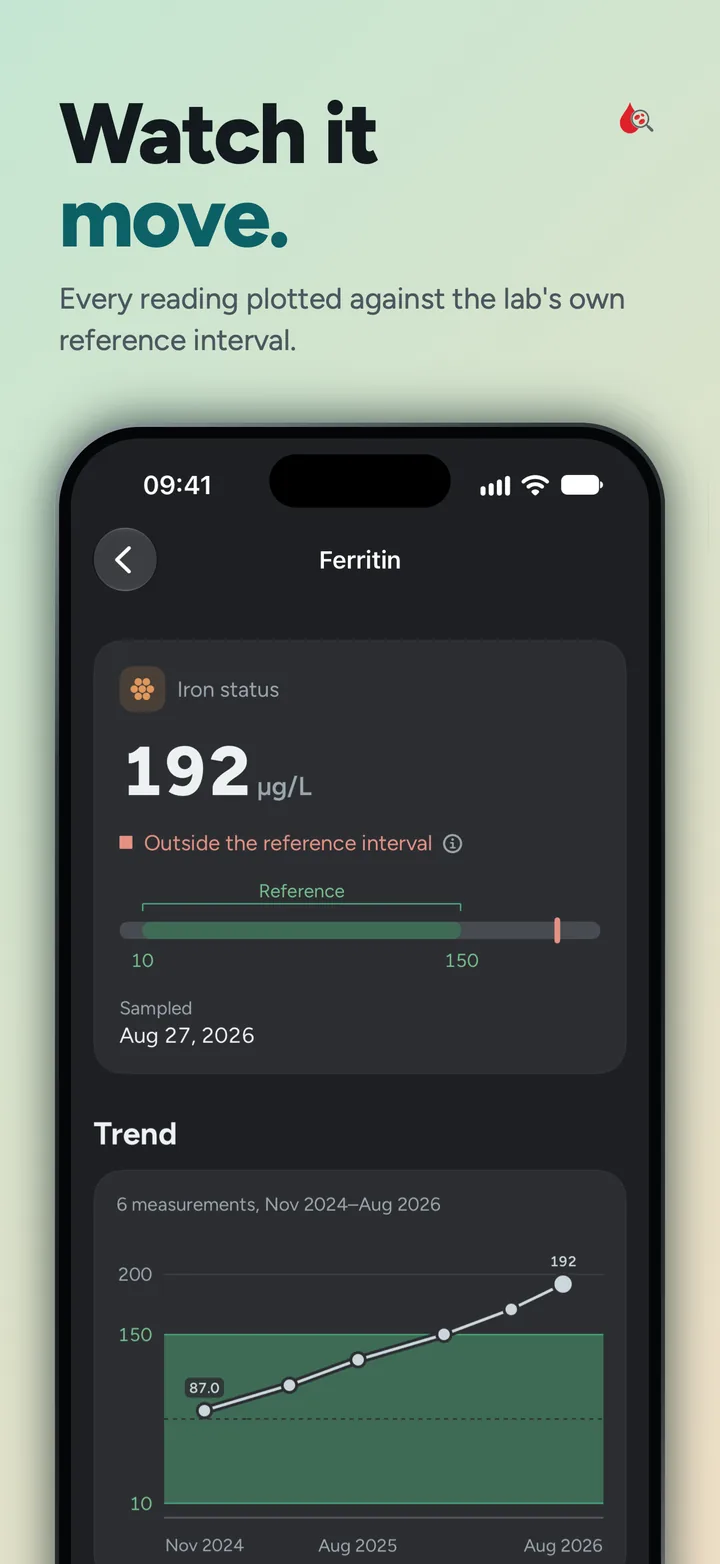
Every marker is charted over time against your lab's own ranges, and a one-page summary with your questions is ready for the next doctor visit.

The whole picture,
without the guesswork

Built for people who get blood drawn more than once and want to see what changes between the printouts.

📄
Lab PDF Import

Share a report straight from Mail or Files. Values, units, and reference ranges are read for you, all on your device.

Review Every Import

Every import passes through a review screen first. Uncertain readings are flagged for your attention, never silently dropped.

✍️
Manual Entry

Got a paper report or a value read over the phone? Type it in and it joins the same timeline.

📈
Trends Over Time

Each marker is charted against the reference range your own lab printed, so you see change in its proper context.

📚
Marker Encyclopedia

Plain-language explanations of what each marker measures and why labs test it, from hemoglobin to thyroid hormones.

🧭
No Verdicts

BloodChart shows what your lab reported and forms no judgement of its own. Interpretation stays where it belongs: with your doctor.

🩺
Doctor Visit Prep

Gather the results you want to discuss and the questions you want to ask, then walk in with one clean page instead of a folder of printouts.

📤
Exports That Mean It

A one-page PDF summary for your doctor, and a complete CSV and JSON export of everything for you. Your data is never locked in.

☁️
Private iCloud Sync

Syncs between your devices through your own iCloud account. No account to create, and no server of ours anywhere in the chain.


Need Help?

Something not working right? I am happy to help.

✉️
Email Support

Found a bug, have a question, or a lab report that would not import? I read every email personally.

support@edgarpielb.com
Typical response within 24 hours
💡
Quick Tips
  • 📄 Import a report by opening the PDF in Mail or Files and sharing it to BloodChart
  • ✍️ Add results from paper reports with manual entry; they chart alongside imported ones
  • 📤 Export any time in Settings: a PDF summary for your doctor, or all data as CSV and JSON
  • 🗑️ Withdraw your storage consent in Settings to erase everything the app holds

Frequently Asked Questions

On your device, and nowhere else by default. If you enable iCloud sync, your data is stored in the private database of your own iCloud account, readable only by devices signed into your Apple ID.

There is no server of mine involved at any point. Blood values are sensitive health data, and the honest way to protect them is to never hold them in the first place.

No, and that is deliberate. BloodChart shows your values against the reference ranges your own lab printed, explains what each marker measures, and helps you collect questions for your doctor.

It does not diagnose, score, or tell you whether a result is good or bad. An app cannot know your medical history; your doctor can.

PDF lab reports with a results table, which is how most laboratories deliver them. Share the PDF to BloodChart from Mail, Files, or your lab's own app.

Every import goes through a review screen, so if a report is unusual you will see exactly what was read before anything is saved. Anything the parser cannot handle, you can add with manual entry, and I would genuinely like to see the report so I can fix it.

No import bypasses the review screen. Readings the parser is not confident about are flagged as uncertain rather than quietly accepted or dropped, and you can correct or discard any row before saving.

Everything remains editable afterwards too, so a mistake is never locked in.

Yes. Manual entry lets you type in results from a paper report, a patient portal, or a phone call. They land in the same timeline and charts as imported values.

You collect the results you want to discuss and the questions you want to ask in the Doctor Visit tab, then export a single A4 page you can print or show from your phone.

The summary reports your values and your questions. It draws no conclusions, so it supports the conversation instead of trying to replace it.

Always. Settings offers two exports: a one-page PDF summary for your doctor, and a complete export of all your data as CSV and JSON.

The full export is in standard formats you can open anywhere, so your history is yours to keep even if you stop using the app.

In Settings, withdraw your storage consent. That is the erase flow: consent with no data has nothing to attach to, so withdrawing it removes everything the app holds, on the device and in your iCloud.

You can export your data first if you want to keep a copy.

No. BloodChart is a record-keeping tool. It reproduces the information your laboratory already gave you (your values, their units, and the lab's own reference ranges) and adds no diagnosis, no risk scores, and no medical advice.

Always discuss your results with your doctor.