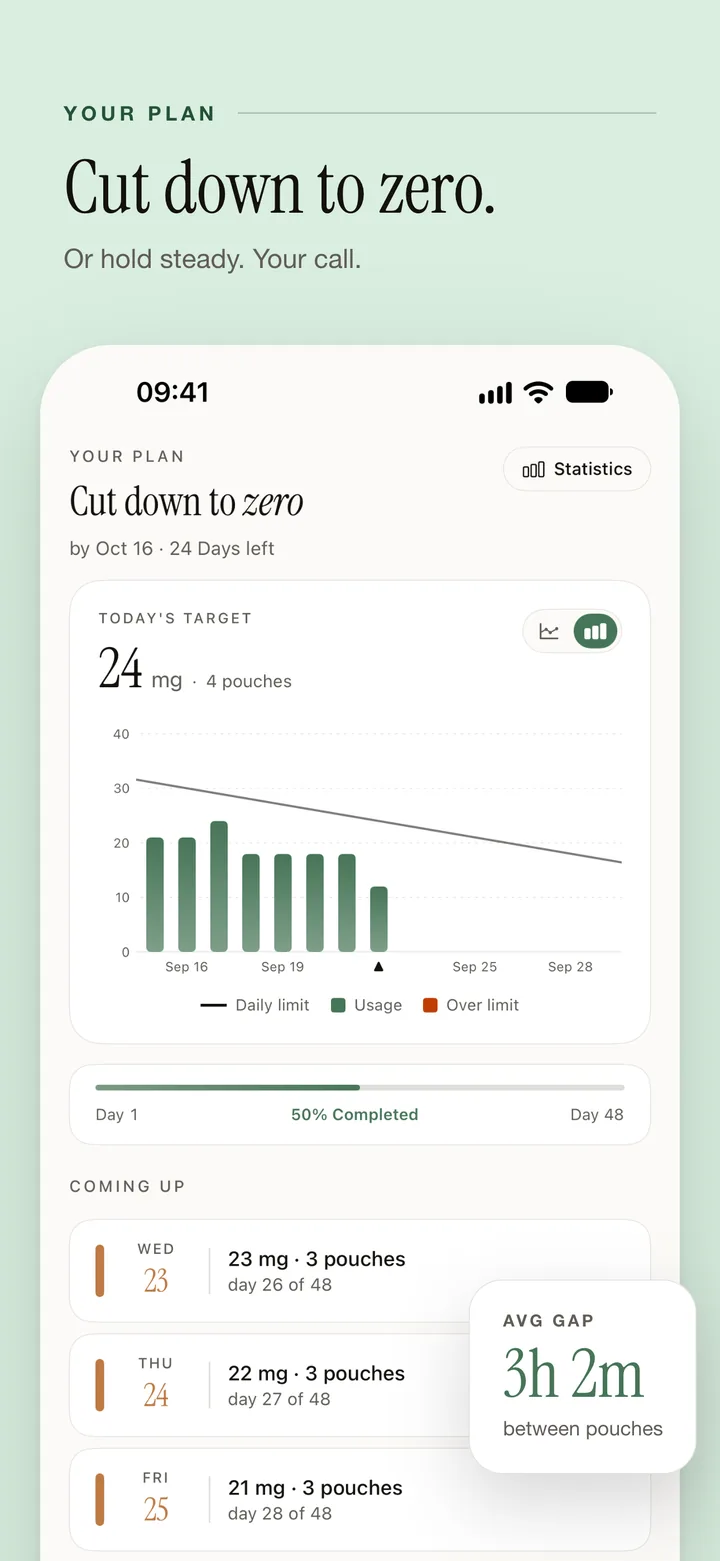
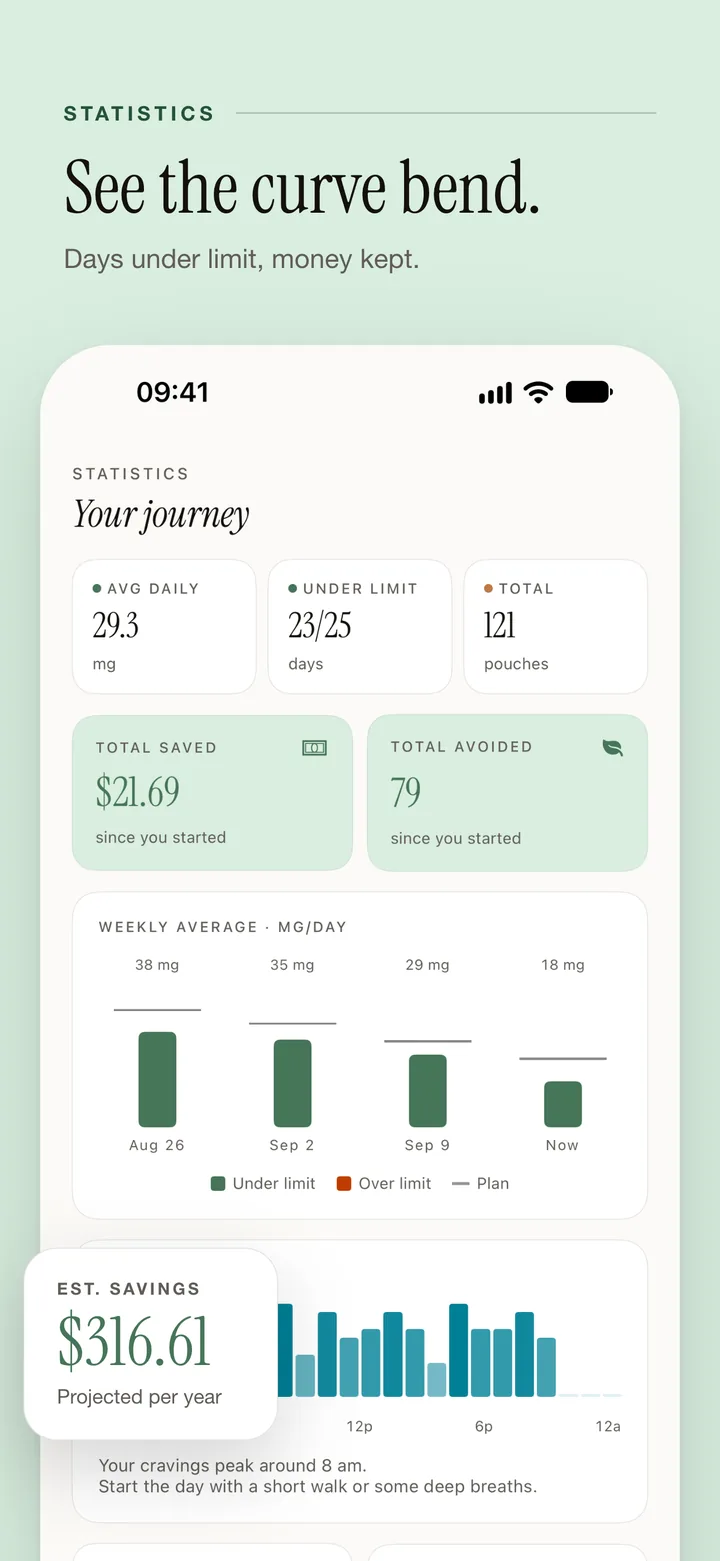
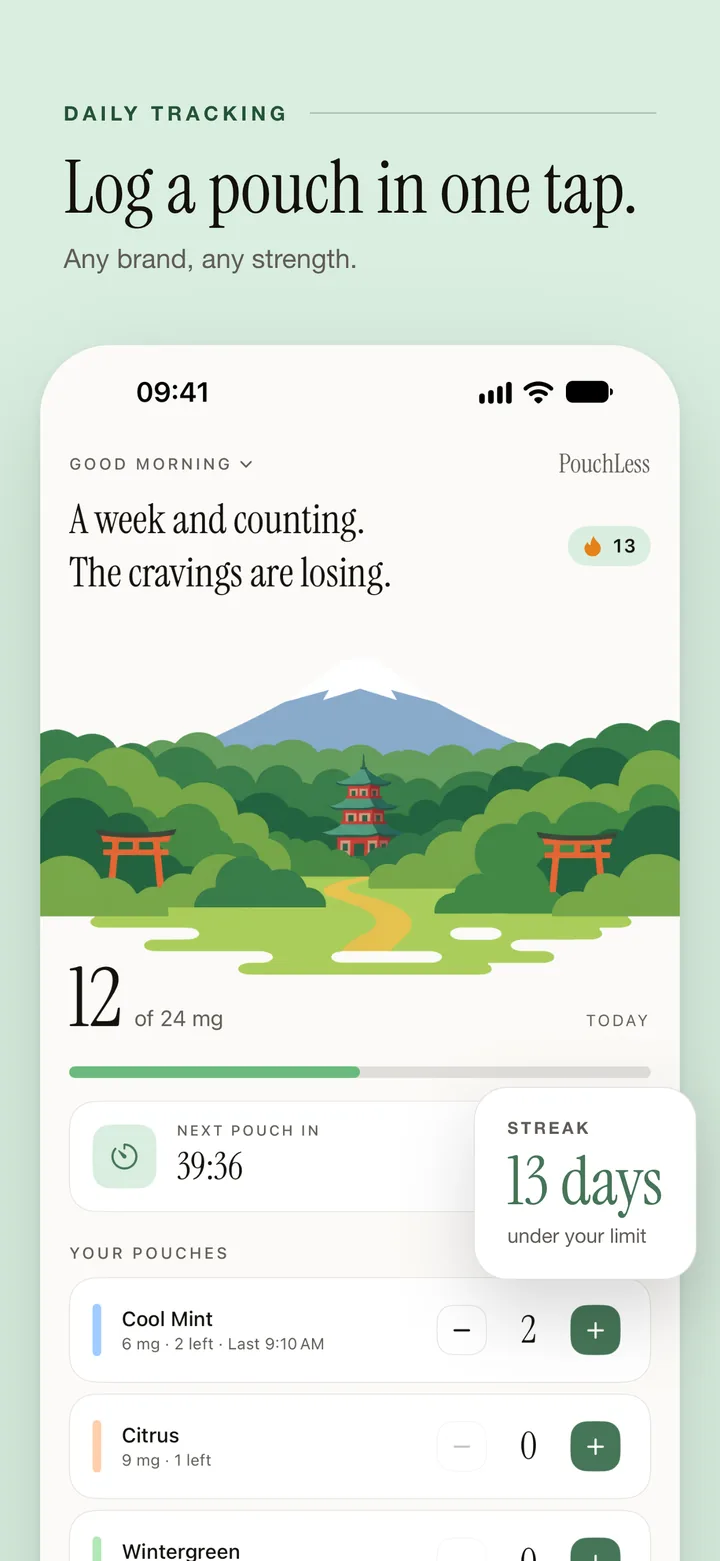
Pick a plan
Taper to zero, cut down to a number you choose, or stop today. A bad day does not reset it.
Log and cope
One tap per pouch. When a craving hits, say how strong it is and try what the app suggests.
Watch it drop
Streaks, charts, and money saved show how far you have come.
Everything you need to quit pouches
A plan you can keep. Help when a craving hits.
A Plan You Can Keep
Taper to zero, cut down, or stop today.
Craving Check-in
Say how strong it is and what set it off. Get something to do right now.
Craving Tools
4-4-6 breathing, a 5-minute timer, color grounding, focus games.
Trigger Diary
See which situations set off cravings.
Pacing
Spreads the rest of the day’s pouches until midnight and counts down to the next.
Streaks & Milestones
Under-limit or nicotine-free days, and your longest run.
Money Saved
What you would have spent, minus what you did.
Statistics
Clear charts of your progress over time.
Apple Watch
Log a pouch from your wrist.
Widgets
Log from the Home Screen. Light, dark, or automatic.
Learn
Short videos on nicotine and recovery, on YouTube.
Five Languages
English, Swedish, Norwegian, Danish, Finnish.
Need help?
Bug, question, or idea? I read every email.
support@edgarpielb.com Typical response within 24 hoursChange your goal: Settings → Plan & Limits
Box price: Settings → Preferences → Cost tracking
Sync: turn on iCloud for PouchLess in the iOS Settings app
Craving: the Craving tab has breathing and a 5-minute timer
Yes. Any brand. Add your own pouch types with their strength in mg.
Free: pouch logging with a fixed daily limit, pacing, breathing exercises, the craving timer, videos, savings, widgets, Apple Watch, and iCloud sync. Premium adds the taper to zero, cut down, and stop today plans, the craving check-in and trigger diary, statistics, color grounding, focus games, and the health timeline. Weekly, monthly, or lifetime.
Turn on iCloud for PouchLess in the iOS Settings app. There is no switch in the app. Remove what is stored under Settings → Data & Sync → Delete iCloud Data.
Sign in with the same Apple ID. If Premium does not come back, open Settings → Your Subscription and tap Restore at the bottom.
Your starting intake at the price per pouch, minus what you actually logged. Change the price under Settings → Preferences → Cost tracking.
Yes. Log a pouch, undo one, and see today’s count and the next pouch countdown.
iPhone Settings → your name → Subscriptions → PouchLess → Cancel. Premium stays until the period ends.
Yes. It stays on your device and, when iCloud is on, in your own iCloud account. No analytics, no account. The only outside service is YouTube, for the videos.